Original files handled across the project workflow.
 View pricing
Anonymized WordPress workflow case study
From ~250 source images to WordPress-ready galleries across 15 pages.
A real image-heavy WordPress build needed hundreds of prepared files, metadata, and media URLs that could be placed into galleries without repeating the same manual export and upload work on every page.
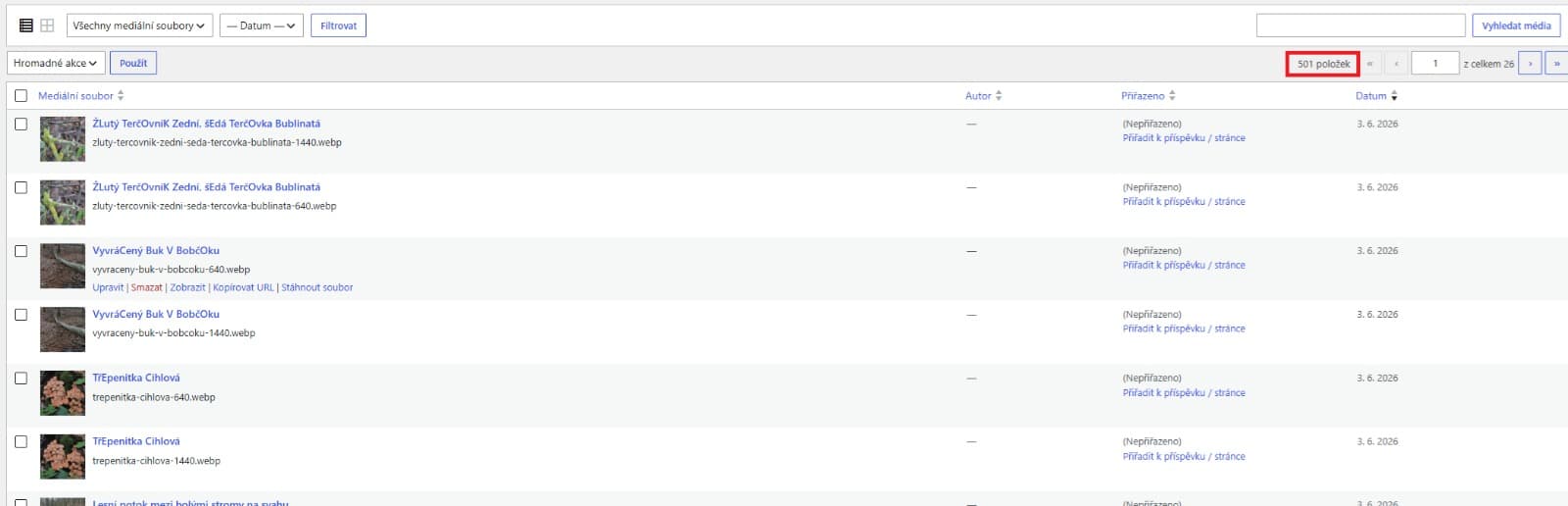 501 media items
Workflow result501 WordPress media items prepared for gallery delivery.
The exact client project remains private until publication, but the workflow numbers and delivery pattern are from the real Altloom build.
500+ outputs15 pagesWordPress URLs
Measured scope
The work was large enough for manual image prep to become the bottleneck.
The point was not to test a perfect demo batch. The point was to finish a real WordPress delivery job where repeating the same export, metadata, and gallery URL work would slow the whole build down.
Responsive files produced from the same source set.
Subpages that needed gallery-ready image delivery.
WordPress media URLs reused directly in galleries.
How Altloom helped
The workflow stayed practical: batch, metadata, output, WordPress URLs.
This is the core Altloom use case for WordPress freelancers and small studios: prepare source images once, then move the finished assets into WordPress without rebuilding the workflow page by page.
The project started with a large photo set instead of a polished marketing sample. Images were prepared in practical batches for the pages that needed them.
Format, widths, quality, and delivery settings were applied at the batch level instead of repeating export decisions for every single upload.
Altloom created alt text, titles, captions, and descriptions per source image, with conservative prompts that stay grounded in visible content.
The finished media URLs were available after upload, so gallery work became a controlled placement task rather than a manual upload-and-copy loop.
Workflow evidence
Real screenshots, anonymized until the client site is public.
This public version shows workflow evidence without exposing a private domain, unpublished page content, WordPress credentials, or client identifiers. The screenshots focus on delivery scope, metadata configuration, and the final WordPress-ready output.
From workload to handoff
The workflow moved from metadata configuration to reusable WordPress output data.
After the media-library proof in the hero, these screenshots show the next practical steps: metadata generation configured once and structured output that can be placed into real galleries.
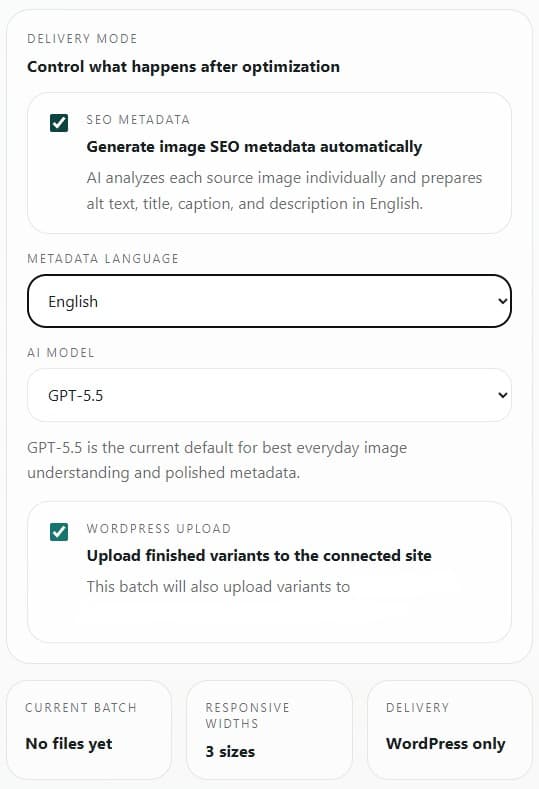
Altloom generates image SEO metadata as part of the batch workflow, including alt text, title, caption, and description.
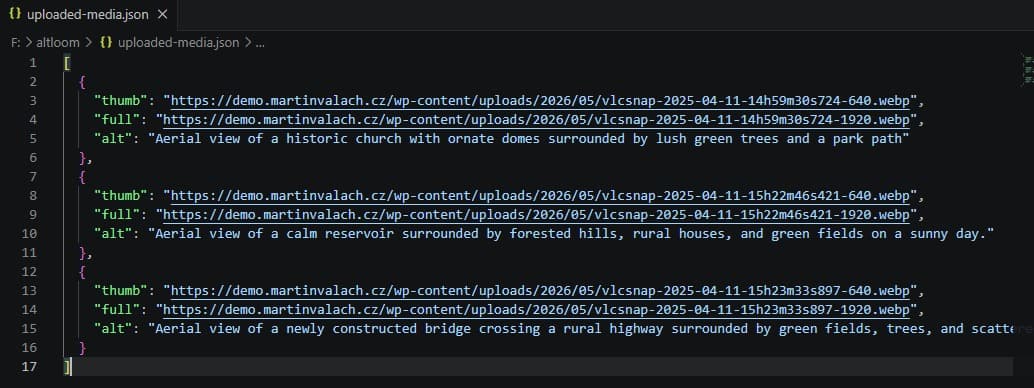
Finished results include media URLs and alt text in a structured export that can be reused during gallery placement.
For WordPress delivery teams
Use Altloom when image prep is part of the delivery workflow, not an afterthought.
If you regularly prepare image-heavy WordPress sites, Altloom is built to turn that work into a controlled batch workflow with metadata and optional WordPress delivery included.